Merge translations from Machine translation
MT Merge allows users with MT-bulk role to prefill translations from configured Machine Translations service.
Restrictions
- This feature is only available to user with
MT-bulkrole. - Only Gettext and Properties project type are supported.
- The operation is limited to one language at a time.
- Only
fuzzyanduntranslatedstrings will be changed. - User can select to save the translations as
fuzzyortranslated. - MT Merge will save translations with validation errors as fuzzy.
Run MT Merge for version
- Login to Zanata.
- Select a project version you wish to copy translations to.
- Expand
More Actionmenu on top right corner and click onMerge Machine Translations. This action is only available if for user withMT-bulkrole.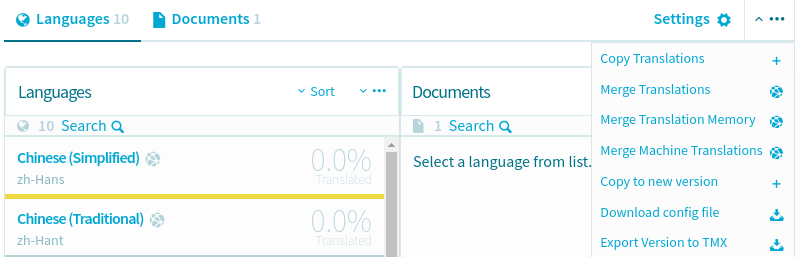
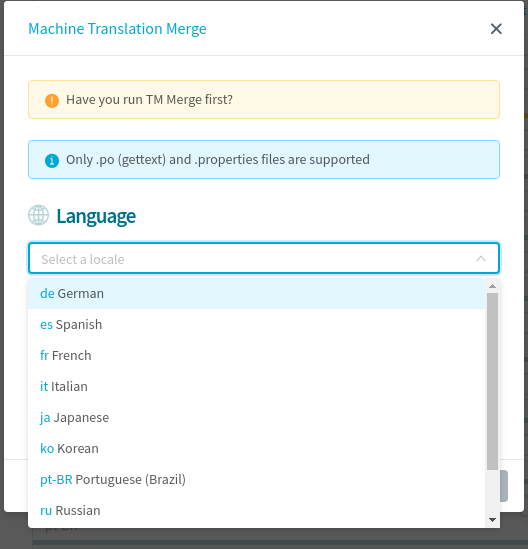
- In displayed dialog, select the language you want to copy.
- Select the state you wish to save the translation as.
FuzzyorTranslated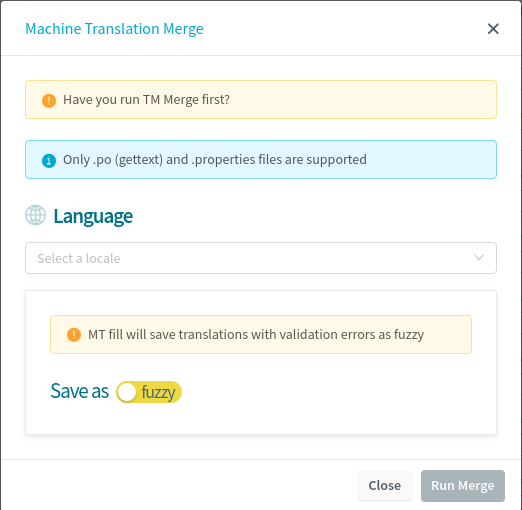
- Click
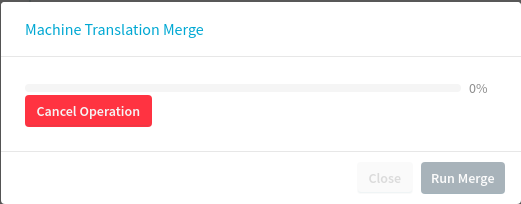
Run Mergebutton to start the process. - The progress of the merge process is shown by a progress bar on the dialog. You can cancel the process before it finishes.
Cancel MT Merge
User can click on Cancel Operation during the process to cancel the operation.
Note: This will only stop additional translations being copied. Any translations that have already been copied will remain.