To access your user settings:
- Login to Zanata
- Click on
User menuon top right corner, click onSettingson the drop down menu. - Alternatively, you can click on the
Settingstab on your dashboard page.
Settings
Update email
-
Enter the new email address in input field and click
Update email.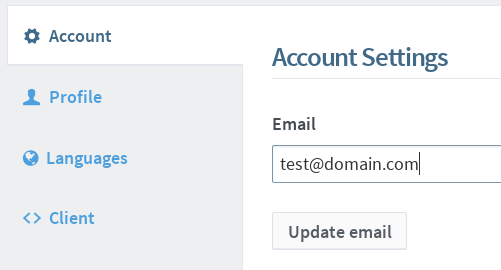
-
A confirmation email will be sent to the new email address. Click on the link or the URL to confirm email address change.
Change password
-
Fill in the
Old PasswordandNew Passwordfields.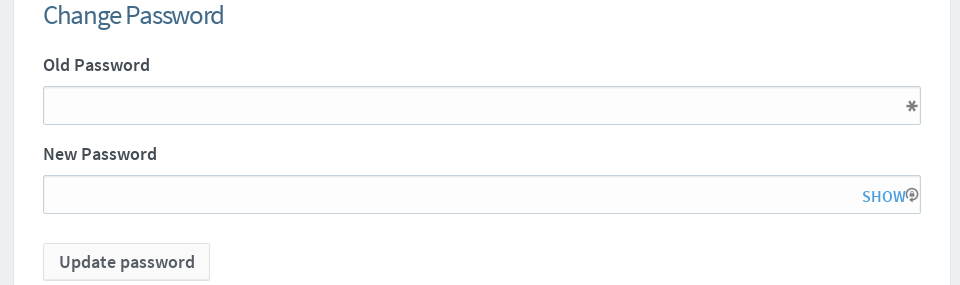
-
Click
Update passwordto change your password.
Merge with other account
Use this to merge additional Zanata accounts you may have created when signing up with a connected account.
- Select and login into any connected account that you wish to merge with current logged in account.
- Click
Merge accountbutton merge from the selected connected account into current logged in account.
Profile
- To update your name, fill in updated name in input field and click
Update profile.
Languages
This page shows all the language teams you have joined in Zanata.
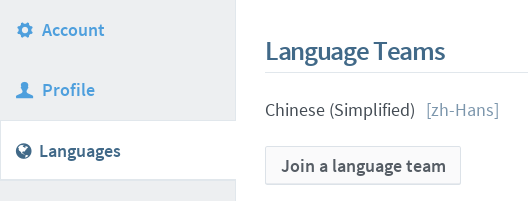
To join more language teams,
- Click on
Join a language team. - See Joining language team.
Client
API key is a unique identifier used for authentication between client and Zanata server. Zanata CLI uses it for authorization.
- To generate an API Key, click on
Generate new API Keybutton. - The updated settings for your Zanata client are available in the text area below.
For more information on setting up Zanata client, see Zanata Client configuration.